Dictation for macOS
Talk. It types.
- 4× faster than typing*
- Up to 97% accuracy*
- Your data never leaves this Mac
- macOS 14+ · Apple Silicon
$39 once · 10 free minutes · 30-day money-back guarantee
Nothing leaves your Mac.
-
Audio stays here
No server, no account.
-
Scored on your voice
Every model, your accent, your room.
-
Paid once
$39, no subscription.
One sentence. Two places.
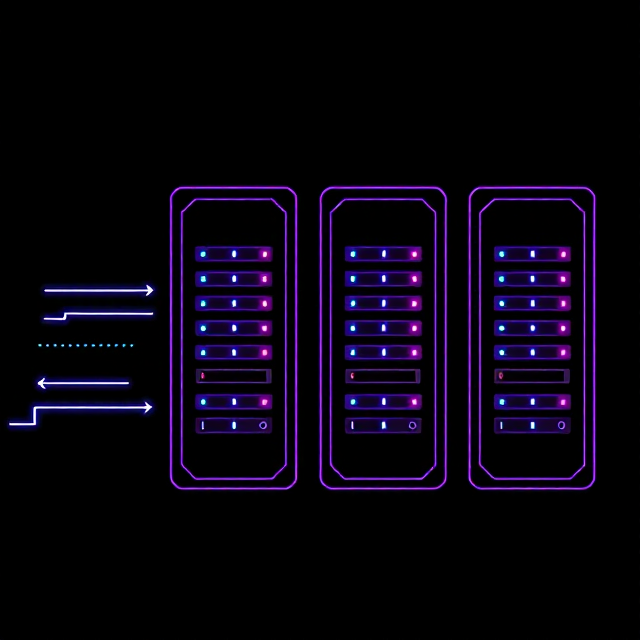
Say "move the review to Thursday" into a cloud dictation app and that sentence does not stay on your Mac. The audio is uploaded, and so is the text it turns into.


| What happens to it | Cloud dictation | Inmost |
|---|---|---|
| The recording | Uploaded to a vendor and usually to the speech provider behind it. Both can keep it. | Decoded on your own chip, dropped when the sentence ends. |
| The transcript | Also leaves your Mac, and is often stored next to the audio. | Typed at the cursor. It exists in the app you're typing into, and nowhere else. |
| Who holds a copy | One or more third parties: the app, the model provider, whatever they route through. | No one. There is no upload path for audio in the app. |
| A subpoena reaches | Whoever holds the copies — a company you have no relationship with. | Nothing. There is no server holding your dictation to ask for. |
| A breach exposes | Every recording and transcript on those servers, including yours. | Nothing of yours. There is no pile to steal. |
| Deleting it | You ask, and depend on their policy, their backups and their retention window. | It never left. Quit the app and there is nothing to delete. |
It measures itself against you.
Every dictation app ships one default model and hopes. Inmost has you read three short sentences — ten seconds — and keeps whichever model makes the fewest mistakes in your voice.
-
Grant microphone and accessibility
Once each, so it can hear you and paste.
-
Read three sentences
Ten seconds. Skippable, and re-runnable any time.
-
Hold your key and talk
Text lands at the cursor. One undo removes it.
One pack. Measured on your voice, not ours.
A model pack, not one fixed engine — Parakeet, Whisper, Qwen3-ASR, Voxtral, Moonshine. The ceiling is 97% words correct, from Whisper Large v3 Turbo run on this Mac over 200 clips of LibriSpeech test-clean. On a smaller set of one voice in one room, the pack lands between 5.8% and 7.1% word error rate. Accuracy moves with your accent, microphone and room, so the app lets you score the models on your own voice before you pick.
| Model | Word error rate | Speed | Size |
|---|---|---|---|
| Qwen3-ASR 1.7B | 5.8% | 25× real time | 2.0 GB |
| Parakeet Unified 0.6B | 6.5% | 100× real time | 614 MB |
| Parakeet TDT v3 | 7.1% | 71× real time | 480 MB |
| Apple Dictation | 12.8% | 31× real time | built in |
Lower is better. 100× means an hour of speech becomes text in about 36 seconds.
The trade is the point. The most accurate row is also the biggest download. Setup answers that for your voice.
Honestly. A big cloud model beats all four. Inmost competes on where the audio goes and paying once.
$39, once, and then it's yours.
No subscription, no cap, no renewal date.
- Speech recognition that runs entirely on your Mac
- Every installed model scored against your own recording
- Your own vocabulary list for names, acronyms, and jargon
- Menu bar app, launch at login, hold to talk or tap to toggle
- Text pasted at the cursor, removed in one undo
- Updates for as long as the app exists, with no expiry date
30-day money-back guarantee.
Requires macOS 14+ on an Apple Silicon Mac.
What people ask before buying.
-
Is it accurate enough to actually use?
Usually, and you get to check before you decide. On our test voice the best local models land between 5.8% and 7.1% word error rate, which is roughly one word in fifteen. In practice that means a name or a number to fix now and then, not a paragraph to rewrite.
Accuracy moves with your accent, your microphone, and your room, which is why the app measures instead of promising. Cloud services still win on raw word error rate. If you need the lowest error rate on earth and don't care where the audio goes, use one of those. If you need the words to stay here, this is the trade.
-
Why not just use the free dictation built into macOS?
For a short message, you can. It has gotten better, and some of it now runs offline. Three things it won't do: it gives you no choice of model and no score against your own voice, so you can't tell whether it's mishearing you because of your accent, your mic, or the room. It has no vocabulary list for the names and jargon your work is full of. And on the same test voice, Apple Dictation scored 12.8% against 5.8% to 7.1% for the local models in the table above, so more than twice as much cleanup.
Those numbers are on one voice, in one room, and yours will differ. That's the argument for measuring, not against Apple.
-
Does it work on Windows?
No. Inmost is a Mac app: macOS 14 or later, Apple Silicon only. Windows needs a different capture layer, a different way of getting text into other apps, and its own signing and installer work, so it's a second product rather than a port. We'd rather ship one platform that works than two that half work, and we're not going to pretend a port is around the corner.
No Windows build exists today, and there's no date to give you. When there's one, it'll be on this page first.
-
What happens to my audio?
It's decoded on the Mac, in memory, and dropped once the text is inserted. It's not uploaded, because there's no server to upload it to and no account to file it under. Nothing leaves the machine: no audio, no transcripts, no usage counts, no crash logs carrying your speech.
The only thing that persists is the transcript text, in a local file you can search, cap by retention, or switch off completely. The first-run recording used for scoring stays on disk only as long as it takes to score the models.
-
Can I get a refund?
Yes. Email hello@inmost.app within 30 days of buying and we refund the $39. If the model that won on your Mac wasn't good enough, that's on us.
Which model lost, and what you were dictating, is the most useful thing you can tell us.